My Mobile Computing is about to Change Again! #383

November 21, 2025  •  Leave a Comment

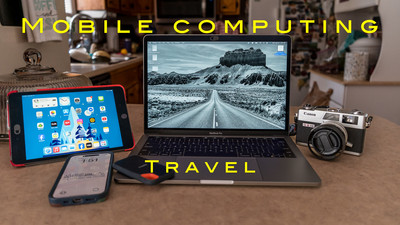
Hey Ya'll! Hope you're having a great week! Mine has been pretty good with good weather and a little hiking and bike riding. I finished a week long photography trip to the Georgia mountains. This week I want to talk about my travel backing up and editing workflow. It has changed again. I have written many blogs on my travel workflow and it's ever evolving . I used to have Lightroom Classic on my mobile computer and would export a Lightroom Catalog  and merge with my main catalog. I've tried using Lightroom CC the mobile edition and it used up storage on my Adobe Cloud. But over the years the Lightroom Desktop formally Lightroom mobile and Lightroom cc has changed a lot. The older versions you had to use the cloud but the newer versions you can use your local drive to edit. This have been a game changer for me. I'll explain why....

My main computer is a Mac Mini at home with a 27 inch monitor and Apple M2 chip. Works like a champ and I have no problems using it. My 2563e370f98e53afa59b4ddfed93f6212563e370f98e53afa59b4ddfed93f621 mobile computer has changed many times from Lap top to iPad Pro back to a MacBook Laptop again. Last year I bought a used MacBook Pro from a club member. It's rather old but would let me use Lightroom and run club activities if I needed to take the place of the President if she wasn't present. Lightroom Desktop (Not Classic) Uses less computing power and runs better on the old MacBook . It's slow but it works. So now that the Lightroom Desktop can run on local drives this makes it very easy for me. My backup of files hasn't changed that much. On a separate Solid state drive I have a folder labeled SD backup. Inside that folder I have folders named Day 1, Day 2, Day 3 etc... Then each day I take my SD card out of my camera and backup the files to the correct day. Then I take that SD card and put it a card wallet and take a new formatted SD card and place in my camera ready for the next day. So I have two copies one on the drive and one on the original SD card in the card wallet. I also keep both of these in separate bags when traveling incase I loose a bag I haven't lost my photos. I can then edit all my photo's off of the external Solid State drive.

My editing has changed. Like I said before I went from Lightroom Classic to the Lightroom Desktop on my Mobile MacBook. I used to only edit a select few photo's while on my trip because it took up so much storage on the cloud. But now you can make edits on a local drive I can do all I want. All the edits are saved and when you get home you can take that Solid State drive and Import the photo's into your main catalog and all of the edits that you have done while on your trip will be in your main catalog also. This is awesome! So on my last trip although very slow my computer (a 2017 MacBook Pro) worked well. I was very pleased with my setup. When I got home there was an update to Lightroom version 9 it added some neat importing and culling features and some dust removal that I was really interested in. So I updated it on my Main MacMini but when I went to update on my old MacBook it wouldn't update. It said my operating system was too old and I have the latest version that can be loaded to the MacBook. What that means is I need to update the old MacBook. I knew when I got the MacBook that it was just temporary fix to my Laptop Problems . So I need to update my Laptop to run the most current Lightroom. Well luckily MacBooks last a long time. I'm typing on a a 2017 which is pretty old for computers. I just sold a camera so that will help fund a new computer. I will get the biggest and baddest computing power Laptop that I can afford to future proof the Laptop. I'll give a review to it and what I got when I purchase it . So the biggest actually workflow that changed is working on my photos on a local drive instead of the cloud. I'm kind of looking forward to it and kind of dreading it. I'm dreading the price but will be glad of the speed it will work. What I'm really sad about is all of the stickers I have on the Laptop I have now. Maybe I can take some of them off and transfer them to the new computer.  Well till next week Get out and shoot! 

Hey if you want to check out my photography go to my instagram account Max Stansell Photography there are over 2000 posts there. Here is the link

 Max Stansell Photography Instagram Link


Backblaze Saved My Butt Today #382

November 14, 2025  •  Leave a Comment


What's up Ya'll? Hope you've had a good week! My week has been going good this week until today. Today when I turned on my computer I saw I o
nly had 30 gig of storage left on my hard drive. So I decided to clean it up. I had just edited a video in iMovie and that uses lots of storage so I wanted to delete the library of iMovie. So I did and that cleared up over 100 gig of storage. I went to my Lightroom catalogs and deleted all of the old ones and that saved a lot of storage. Then I messed up. I started deleting files out of my working drive forgetting that I haven't moved them in Lightroom to another drive. Not thinking I went to the trash can and click, click emptied it and then I released that I still needed those files! It was a few months worth of photography that I didn't want to loose. So now what to I do? Well I started Googling and I remembered I have BackBlaze Cloud service. Which means they are always backing up my main computer and everything that is hooked to it. So that's where my files were. But how do I retrieve them. I know it can be done but I've never done it before. 

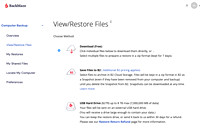
My first step was to go online log in and see if the files are there. It took a little bit and I had to find user name and password. (Don't sign in that much) . Then it was to navigate the site and I found where I could look at my backup and pick what files I wanted to retrieve. Whew! They were there ! What a relief that was. So how it works they can create a .Zip file that has all of your stuff you want to retrieve and send it to you. The amount of data that I had to retrieve was 75 gigabytes . Whew!  So you press a button on the website and it starts to create the zip file. It can take a while. They email you when it's done. So I went about my business and a little while later I checked my email and it said that the .zip file was ready to be downloaded. 

Downloading the .zip file isn't as easy as you may think. It's a big file. So they have a program you can download to your computer that downloads the file quicker than it would be if you just use your browser and down load it into your download folder. So I downloaded the program and it was pretty easy to use. You sign in and it finds the file for you. You can then pick the place on your computer that the files came from and down load straight to that place. Which I did. Depending on the size of your file and the speed of your internet will determine how fast it downloads. My file took about 30 minutes to download. Once I had it downloaded I just right clicked the file and unzipped it. And it put all of the files I had accidentally deleted where they needed to go. I did move things around a little to make sure they were as Lightroom had placed them in the beginning . After that I opened up Lightroom and all of the folders populated like nothing had happened. Whew! Then I relocated the files using Lightroom to a disc away from my hard drive of the computer.  Whew! Mission accomplished!

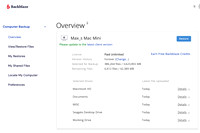
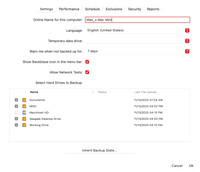
I have had Backblaze for quite a few years now and this is the first time I really had to us it to recover lost files. It runs in the background and it automatically renews itself every year so I barely know it's there. I actually forgot about it until now when I needed it. And it worked like a champ! If you are looking for a cloud backup solution I highly recommend Backblaze! So until next week Get out and Shoot!

Hey if you want to check out my photography go to my instagram account Max Stansell Photography there are over 2000 posts there. Here is the link

 Max Stansell Photography Instagram Link


Fall Colors Trip Gear How it worked #381

November 07, 2025  •  Leave a Comment

Hey Ya'll! Hope You're having a great day! It's been a rainy week here so I'm getting caught up on my blogs. I recently went on a Fall Colors workshop with my camera club I took three lenses my holy trinity for landscapes. I recently wrote a blog on the holy trinity of lenses you can click here and read it. Holy Trinity Lens Blog So lets go over the gear I took...

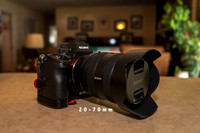
Main Camera Body. My main camera body is an older Sony A7III. It worked flawlessly. I'm really pleased with how it handles and worked. The only problem I ever had with it was when shooting wildlife and it would buffer if I was shooting Raw. I fixed that problem by getting a UHS-II card. That fixed my buffering problem. I have been using USH-I cards which are fine for regular photography but for faster stuff I'll be using the USH-II cards. To tell the difference on the back of the cards a USH-1 card has one row of contacts and a USH-II has 2 rows. Your camera must be compatible to use the USH-II but most are now a days. 

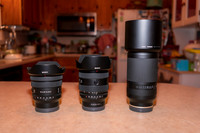
Lenses. I must say my camera set up and lens selection did well. I added the 16-35 in the mix and tried to use it as much as I could with some success. But most of the photo's were taken with my 20-70mm and a 70-300mm lens. I also brought a 100-400mm just for shooting the elk and it did great but honestly I could have shot what I shot with the 70-300 with no problem. The 70-300 is the newest lens in my landscape kit and it worked great! Very pleased with it. I used it when we went to the Atlanta Zoo.

Point and Shoot. I took the Canon G7XII camera mainly as a backup camera. When we went to Rock City Gardens in Chattanooga TN/GA I used it exclusively and It was fantastic! Small lightweight easy to handle and maneuver and it was fun to shoot with. I also used it when we went into towns to do photowalks. It was a lot more convenient than carrying a full sized camera and lens set up just for some snap shots of the town. Its small enough to fit in my fanny pack if I need to.

Cell Phone. Of course I always had my cell phone with me and for really wide shots or just tough lighting shots I always took at least one photo at each location . With the computational photography in modern phones they do great for this. Of course for selfies also. I even used my cellphone to use bluetooth and GPS to send to my camera and mark where all of my photo's were taken and this worked flawlessly with my Sony camera.


GoPro. I was tasked to document the trip since our regular video guy didn't come. The task of videoing stuff plus the photography was quite a handful. But my GoPro 11 worked pretty well. It glitched up a time or two but that could have been user error. I don't do video much except to document a bike ride or something like that. I did create a movie and here is the link. Fall Colors Trip

Accessories. This is mainly my camera bag a Shimoda 30 liter Action X bag and my Tripod a Sirui carbon fiber tripod. They both worked great although one of the tripod legs got stuck and wouldn't close all of the way and I just had to take it apart and put back together and it worked fine. Must of had some sand left from a shoot I did at the beach earlier in the year.

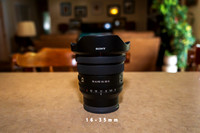
I did use my 16-35mm at the beginning of the trip and got some good shots but later on I reverted to my 20-70 lens and got good shots also. So I'm still up in the air with the 16-35mm I'll keep it around for now. I really enjoyed my kit . Well all except the GoPro at times. Not that it didn't work well just seemed to be something else I had to do and always in the way. You know just something else. But really didn't miss any shots due to camera gear. So that's a good thing. Well until next week Get out and Shoot! 

Hey if you want to check out my photography go to my instagram account Max Stansell Photography there are over 2000 posts there. Here is the link

 Max Stansell Photography Instagram Link


Fall Trip in Georgia #380

October 31, 2025  •  1 Comment

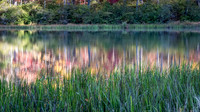
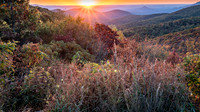
Hey Ya'll! Hope everyone is doing great this week. I had a great week last week as I was on our annual Fall Colors trip that my photography club GAPC (Goldsboro Area Photography Club) takes each year. We try to go to a different location each year but most of the trips have been to the Appalachian mountains whether in North Carolina, Virginia or West Virginia. This year it was in Georgia! This was a new location for us and we didn't know what to expect. You can make all the itineraries that you want and research but until you actually get there you don't really know.  The leaves are the main attraction of most of these trips and you really can't predict what they are going to be like when you get there. There are so many variables that control when and how much the leaves change colors. We have to plan this trip months in advance and hopefully we get the timing right for the peak foliage color the week that we are there, but its a gamble at best and all you can do it try to pick the best week for the trip with the info that you can get from the internet. We were very lucky this year , depending where we were we had good color most of the time of our trip, Some spots at higher elevations were great and lower and further south not as much. But we did get to see lots of color. Now about our trip...

Our trip was planned by our Club President Caitlin. She made the house reservations and built out the itinerary .  She did a great job. The house we stayed in or should I say cabin was in a great place. It was probably the best house we have stayed in on our fall trips. We had plenty of rooms and bathrooms even pool table.  We were located in McCaysville Georgia on the Georgia and Tennessee border. I do mean on the boarder a line goes right through the town with one side in Georgia and the other Tennessee. From this base location we could travel to all of our places we wanted to go within a two hour drive max. to our destinations .

Day 1 & 2. The first day was mainly a travel day. From eastern North Carolina to our Cabin was about 7 hours drive not counting bathroom and lunch breaks, so even longer. We had also planned a trip to the Oconaluftee visitor center in the Great Smokey Mountains National park. There are Elk that hang out around the center and we thought maybe we could get lucky and catch one. But we were too late and they had gone somewhere to bed down. The park was packed with people
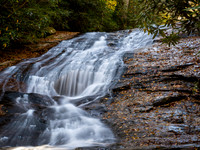
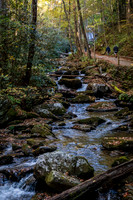
going to see the fall colors and the Blue Ridge Parkway was packed also. So we headed to the house. The next day rain was scheduled for half of the day so we reworked our itinerary to hang out at the house until the rain stopped and then go to some local waterfalls we visited Fall Branch Falls and Long Creek Fall and got rained on a little bit. But got some good shots of the falls.

Day 3. Called for more waterfalls and scenic lake. We started at Hole in the Wall Restaurant in Blairsville and it was by far the best meal for me on the trip. Highly Recommend.
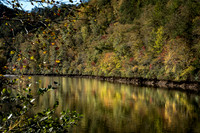
We drove to Lake Winfield Scott and got some really colorful shots. We
then went to Vogel state park with Trahlyta Falls and then went to Helton Creek Falls. We then went to Dahlonega Ga and had lunch at Bourbon Street Grill. We spent the rest of the day walking around the town checking out small shops and decorated streets. 

Day 4. Chattanooga Day! Chattanooga is one of those border towns with half in Tennessee and half in Georgia. The plan for the day was Rock City Gardens. This was the surprise of the trip! I had not heard of it before but it was a great destination to spend hours looking at all of
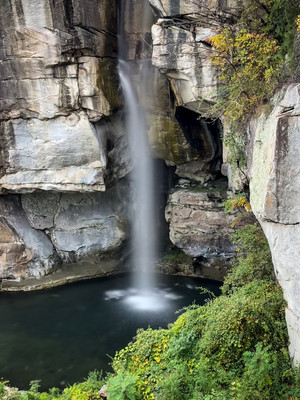
the stuff they have there. Here are some of the highlights. Needle's eye, Swing-a-long bridge, High Falls Waterfall, Lovers leap, Seven States, Rainbow hall, Fairyland Caverns, Fat Man Squeeze, Balanced Rock, Elder Frame Art installation. It's a lot to see I can tell you.  It started to cloud up so we went to lunch in Chattanooga at the Tap house bar and gill and waited the rain out. We then headed to Cloudland Canyon State park went to a waterfall Hemlock Falls was only a trickle of a fall and then the overlook trail to see the canyon. Colors were Poping! We then Returned to the Rock City Gardens for night shooting!  The park was decorated for Halloween and lots of kids were there. It was very nice.

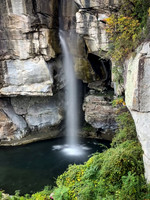
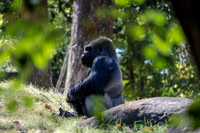
Day 5. Zoo Atlanta. We drove to Atlanta to visit the Zoo. This was also decorated for Halloween and lots of school kids were taking field trips there this day. Had fun at the zoo although I had gone to the NC zoo just a few weeks before and liked it more but it was still nice and got some good shots of some animals there. We had lunch in Atlanta and then headed to Amicalola Falls State Park. This is the park where the Appalachian Trail begins . A 2200 mile path from Georgia to Maine. We went and checked out the falls and they were very nice. We missed the Visitor Center by 5 minutes which I would have liked to see and get souvenirs. But a great day was had.

Day 6. NE Georgia waterfalls. This day started early with a sunrise at Dodd Creek Vista. Although not the greatest of sunrise it still was nice. Next shoot was Anna Ruby Falls my favorite falls of the trip. Has about a half mile uphill hike to the falls along a creek that has lots of photo opportunity's along the way. Next was Unicoi state park and Minnehaha Falls. After lunch we went to Mercier Orchard with lots of apple products to purchase from just apples to pies, doughnuts, breads and all kind of spreads. A must stop in Blueridge Ga. 

Day 7 and 8. Friday is our last full day and we went to the Ocoee River overlooks and then to McCaysville for lunch at Burra Burra on the river. Then we walked the town and finally back to the cabin for a well deserved early day where we could relax edit photo's and I washed clothes. The last day we left the house early to get to Oconaluftee visitor center again to catch the elk. By the time we got there there was one big bull there and he crossed the river for us which was cool.  We then headed home . 

Overall it was a great workshop but we didn't have the participation that we had had in past. But those that did attend had a good time of fellowship and photo taking. I was pleasantly surprised by the Georgia trip and found the towns and people were very friendly and the towns charming. A definitely go to if you  have the chance. I love these annual fall trips and can't wait until the next one! Until next week Get out and Shoot! 

Hey if you want to check out my photography go to my instagram account Max Stansell Photography there are over 2000 posts there. Here is the link

 Max Stansell Photography Instagram Link


Holy Trinity of Landscape Focal Lengths #379

October 24, 2025  •  317 Comments

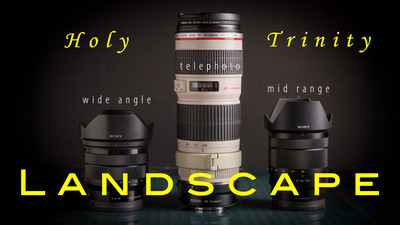
Hey Everybody! Hope You're having a great week! I'm getting ready for a Fall Colors Trip with my photography club and it will be mostly landscape photography. So I'm excited to go! I have been going on these workshops for over a decade and always come back with some great shots. This week I want to talk about the different types of lenses for landscape photography and the advantages and dis-advantages of the different lens focal lengths. I Really won't be talking about hardware too much but of focal length ranges and what type of shot each type of lens is good for. This blog will be talking about zoom lenses only, as I Devils TowerDevils Tower think that they are the only type of lens you need for Landscape work. They are versatile and convenient to use because you can't always zoom with your feet like you have to do with Prime lenses. In this discussion I won't be grouping Astro photography into the Landscape realm although many consider Astro as Landscape. I believe it is too a specialized section of photography to be jumbled in with Landscape. The Holy Trinity of lenses are commonly referred as a 16-35 wide angle zoom, 24-70mm midrange zoom and a 70-200 + telephoto zoom. All of these are full frame equivalent so if you shoot a crop sensor it's 10-18mm 18-50mm and 50-150+mm . I will go over them in the order of importance I think they should go in order of acquiring  if you don't have the lenses, I'll explain...

Telephoto range, 70-200+mm zooms. What I like about using a telephoto zoom is you can use it in almost any condition. What I mean is if you have blue sunny skies although good for a baseball game not so good for landscape photography. With the telephoto zoom you can cut out the sky altogether and isolate a certain subject . A rock , A tree Price LandingPrice Landing
something that a wide angle or a midrange zoom has trouble with. It has a narrow field of view which translates into not as busy of a scene. You can take the viewer right to what you want them to see. It brings distant objects closer. Say a mountain or a tree. From far away you can feature the object as the subject. Something you can't really do with a wide or midrange zoom. It can make your shots more simple and in photography a simple photograph talks volumes more than a complicated one. I would recommend this type of lens to a new landscape photographer before I would a wide angle lens because you don't have to work as hard to get stunning photographs.

Midrange, 24-70mm zoom. This lens has an expanded field of view compared to the telephoto and is great for woodland shots. Intimate forest scenes are great with this lens. It has more of a range of what the human eye can see. It is the Swiss Army knives of lenses and is very useful. I just did a Lightroom search for what focal length I use most and by far this range was the most used. A mid range zoom is on my camera most of the time and is usually where I start. Some people call this range the boring range because the super wide angle or the telephoto zooms tend to be more dramatic. It Cades CoveCades Cove does have enough zoom factor to zoom in a little making a scene less complicated. It can be very wider than the telephoto so skies and distracting parts of your frame can be more amplified and harder to control. If you're a new photographer you probably got some sort of kit lens in this range. But all that said I do like this range and it fits my eye very well.

Wide angle range, 16-35mm zoom. These lenses have the widest field of view and bring the whole scene in. If you have a sweeping vista this is the lens. This lens is the hardest to compose with because it brings so much of the environment in. Usually you have to find some sort of foreground element into the shot and get very close to it . Like a rock , bush or stump. This lens tends to distort the distance of things also. Mountains in the background seem to shrink Goose Creek GrassGoose Creek Grass in size and things in the foreground are larger than life. This type of lens is very condition dependent and if the skies aren't nice leave this one in the bag or get so close to the subject that you can't see the sky. These lenses can create a very busy and complex scene because it brings so much of the scene in. For me this would be the last lens I would put into your arsenal as it is the hardest to use for good compositions.

My current Landscape lenses are the 16-35mm, 20-70mm and either a 100-400 or a 70-300 which is much lighter to carry than the 100-400 if I have to hike a distance or so. Notice I didn't mention maximum aperture of the lenses. You could get the wide angle and midrange zoom of these lenses at f/2.8 maximum aperture but it would cost twice as much and be twice as heavy. For me a constant f/4 lens is plenty. I usually shoot between f/8 and f/11 and if the light is real low I will have my camera on a tripod so the f/2.8 for weight and price is a disadvantage.This is the 3 lens focal lengths that are the Holy  Trinity but some landscape photographers cut out the midrange zoom and just shoot with wide angle and telephoto zooms for all of their photography. For the upcoming trip I'm going to try to use my 16-35mm more and the 20-70 less for an experiment to see how my photographs turn out. Well that's it for this week until next week ... Get out and Shoot!

Hey if you want to check out my photography go to my instagram account Max Stansell Photography there are over 2000 posts there. Here is the link

 Max Stansell Photography Instagram Link


Subscribe
RSS
Archive
January February March April May June July August (4) September (4) October (5) November (4) December (3)
January (5) February (4) March April (2) May (1) June July August September October November (3) December (2)
January February March April May June July August (1) September (1) October (1) November (1) December (1)
January (1) February March April May June July August September October (3) November (2) December