My Mobile Computing is about to Change Again! #383
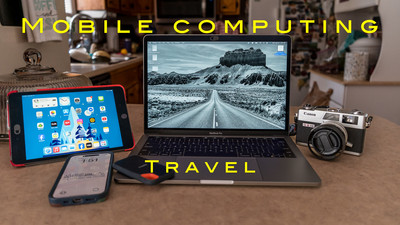
 Hey Ya'll! Hope you're having a great week! Mine has been pretty good with good weather and a little hiking and bike riding. I finished a week long photography trip to the Georgia mountains. This week I want to talk about my travel backing up and editing workflow. It has changed again. I have written many blogs on my travel workflow and it's ever evolving . I used to have Lightroom Classic on my mobile computer and would export a Lightroom Catalog and merge with my main catalog. I've tried using Lightroom CC the mobile edition and it used up storage on my Adobe Cloud. But over the years the Lightroom Desktop formally Lightroom mobile and Lightroom cc has changed a lot. The older versions you had to use the cloud but the newer versions you can use your local drive to edit. This have been a game changer for me. I'll explain why....
My main computer is a Mac Mini at home with a 27 inch monitor and Apple M2 chip. Works like a champ and I have no problems using it. My
 2563e370f98e53afa59b4ddfed93f621
mobile computer has changed many times from Lap top to iPad Pro back to a MacBook Laptop again. Last year I bought a used MacBook Pro from a club member. It's rather old but would let me use Lightroom and run club activities if I needed to take the place of the President if she wasn't present. Lightroom Desktop (Not Classic) Uses less computing power and runs better on the old MacBook . It's slow but it works. So now that the Lightroom Desktop can run on local drives this makes it very easy for me. My backup of files hasn't changed that much. On a separate Solid state drive I have a folder labeled SD backup. Inside that folder I have folders named Day 1, Day 2, Day 3 etc... Then each day I take my SD card out of my camera and backup the files to the correct day. Then I take that SD card and put it a card wallet and take a new formatted SD card and place in my camera ready for the next day. So I have two copies one on the drive and one on the original SD card in the card wallet. I also keep both of these in separate bags when traveling incase I loose a bag I haven't lost my photos. I can then edit all my photo's off of the external Solid State drive.
2563e370f98e53afa59b4ddfed93f621
mobile computer has changed many times from Lap top to iPad Pro back to a MacBook Laptop again. Last year I bought a used MacBook Pro from a club member. It's rather old but would let me use Lightroom and run club activities if I needed to take the place of the President if she wasn't present. Lightroom Desktop (Not Classic) Uses less computing power and runs better on the old MacBook . It's slow but it works. So now that the Lightroom Desktop can run on local drives this makes it very easy for me. My backup of files hasn't changed that much. On a separate Solid state drive I have a folder labeled SD backup. Inside that folder I have folders named Day 1, Day 2, Day 3 etc... Then each day I take my SD card out of my camera and backup the files to the correct day. Then I take that SD card and put it a card wallet and take a new formatted SD card and place in my camera ready for the next day. So I have two copies one on the drive and one on the original SD card in the card wallet. I also keep both of these in separate bags when traveling incase I loose a bag I haven't lost my photos. I can then edit all my photo's off of the external Solid State drive.
 My editing has changed. Like I said before I went from Lightroom Classic to the Lightroom Desktop on my Mobile MacBook. I used to only edit a select few photo's while on my trip because it took up so much storage on the cloud. But now you can make edits on a local drive I can do all I want. All the edits are saved and when you get home you can take that Solid State drive and Import the photo's into your main catalog and all of the edits that you have done while on your trip will be in your main catalog also. This is awesome! So on my last trip although very slow my computer (a 2017 MacBook Pro) worked well. I was very pleased with my setup. When I got home there was an update to Lightroom version 9 it added some neat importing and culling features and some dust removal that I was really interested in. So I updated it on my Main MacMini but when I went to update on my old MacBook it wouldn't update. It said my operating system was too old and I have the latest version that can be loaded to the MacBook. What that means is I need to update the old MacBook. I knew when I got the MacBook that it
 was just temporary fix to my Laptop Problems . So I need to update my Laptop to run the most current Lightroom. Well luckily MacBooks last a long time. I'm typing on a a 2017 which is pretty old for computers. I just sold a camera so that will help fund a new computer. I will get the biggest and baddest computing power Laptop that I can afford to future proof the Laptop. I'll give a review to it and what I got when I purchase it . So the biggest actually workflow that changed is working on my photos on a local drive instead of the cloud. I'm kind of looking forward to it and kind of dreading it. I'm dreading the price but will be glad of the speed it will work. What I'm really sad about is all of the stickers I have on the Laptop I have now. Maybe I can take some of them off and transfer them to the new computer. Well till next week Get out and shoot!
Hey if you want to check out my photography go to my instagram account Max Stansell Photography there are over 2000 posts there. Here is the link
Max Stansell Photography Instagram Link
