Laptop Upgrade #395

February 20, 2026  •  2 Comments

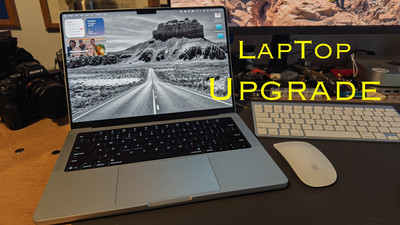
Hey Ya'll! Hope everyone is having a great week. We just got through a big snow storm (for us) in North Carolina with about 10 inches of snow and very cold weather. So I've been inside for almost a week. Just went out today. So I've been spending my time getting ready for presentations that I'm doing this year for our photography club and writing blogs. Really anything inside that I can do to keep me from going crazy. Last year I sold one of my cameras. You can check out the link here Paring Down My Cameras. Now I took the money that I made and just put into savings and vowed when I got my income tax return I would use it and the tax return to buy a new laptop. Well while being cooped up in the house I did my taxes as soon as I could and got my return very fast. So with all that said I'm buying a new Laptop ! Yay! I haven't bought a new laptop since 2017 when I purchased a Macbook Air which I used until about a year or so ago when I bought a 2018 MacBook Pro from one of my club members. It had better specs than the Air that I had. It was always meant to be a go between until I could get a new Laptop. Well that day has come.

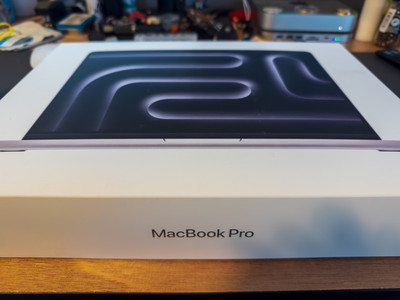
The Laptop. The laptop that I chose was the Apple MacBook Pro with the M-5 Chip. It's the 14 inch model with 32 gig of memory and a 1TB SSD hard drive. My motto has always been buy the best computer you can afford. So that's what I did. I'm a retired military and I used the Apple Military discount store which saves you 10 % off of the cost of the computer. I'm not going to quote the price but it's a lot ! But I think Mac's are worth the price because they last pretty long without having to replace. They very rarely have any software or virus problems. The only reason I'm replacing the one I have now is because it struggles with editing photo's. It also won't update to the newest Lightroom or Photoshop. But if I was using it for web surfing and writing my blogs it would still be a fine laptop to have. This new laptop should be lightning fast and be able to handle anything I throw at it.

Why I need it? I need it for mobile photography editing and backing up. I have been using a iPad pro with a M-1 chip in it and it works well but my eyes aren't as good as they used to be and I need the bigger screen. My main computing when not on the road is still my MacMini that has the M-2 chip in it and I have a 27 inch screen on it. If you've been following my blogs you know that I'm building an "Adventure Van" that I will take trips on and I need a laptop that I can depend on to edit and do research with while on the road.  This will be a perfect matchup with my Starlink mobile satellite dish. I'll be able to watch movies , do research on trips and edit and backup files while on the road. It has a battery life of up to 24 hours according to the Apple site. At any rate it will last a long time without charging and power management is important when traveling on the road. 

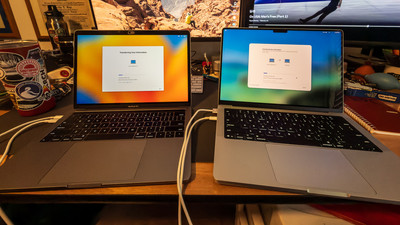
Well I'm writing this section about a week after the last paragraph and my computer has come in. Yay! I have migrated all of my stuff off of my old MacBook Pro and it went without any problems. I have wiped clean the older laptop and am donating it to a family member. My new laptop is set up and I'm using it right now to finish this blog. I've got most of it set up that I can and it's working great! Nice and fast and responsive like I expect it to do. I did get a Silver one although I loved the grey one that my older MacBook was but that color wasn't offered only black and silver and I didn't want a black one it reminded me of a work computer and I don't work anymore. The new computer does lots of neat stuff that I haven't even figured out yet but I will let you know how it works out. Well that's enough for this week. Until next week, Get out and Shoot!

Hey if you want to check out my photography go to my instagram account Max Stansell Photography there are over 2000 posts there. Here is the link

 Max Stansell Photography Instagram Link


Cabin Fever? #396

February 13, 2026  •  Leave a Comment

Hey y'all! Hope you're having a great week! Me? Okay all things considered . It's been unseasonably cold here in the south this year. We've had an Ice Storm and a pretty good Snow Storm along with frigid temps. This current weather pattern has lasted over a month keeping most folks trapped inside. Photography outside has been limited because of the weather. Well at least for me it has. So I've been stuck inside trying to stay warm and listening to my heating system run non stop for over a month trying to keep up. My camera club "GAPC" (Goldsboro Area Photography Club) had to reschedule a meeting due to weather and then the date that we had rescheduled to had bad weather also so we had to have our meeting via Zoom. That kind of sucked because I was giving a presentation and I would much rather do that in person than over the internet. We had a workshop planned that we also had to reschedule and then on the reschedule date the roads on the wildlife preserve we were going to were closed due to bad weather. I was recently talking to one of our members and he was telling me about his "cabin fever" and really I thought it was just me but it wasn't it was him too and he had talked to another member with the same conclusion all this bad cold grey weather has gotten to us. So what can we do? Well there are some indoor photography things you can do to keep you from going crazy. Here is a link to a blog I did on some stuff to do also that you can check out Photography when you can't get out

Indoor Photography: Doing indoor "Table Top" photography is where I really started my digital IMG_1118IMG_1118 photography journey. Finding stuff to shoot in your house can be very fun and interesting. Learning to use lights on smaller subjects will help you in lighting people for portraits. Which you can also do indoors. What about food photography. When it's cold nothing better than a nice bowl of chili. You could photograph that or whatever you're cooking to keep you nice and warm. What about digitizing all of those old photo's that you have stored in shoe boxes? That is a great project also to do. 

Education: Learning more about your camera. Dive into the menus and learn how to operate your camera will help you when you can get out and shoot. You won't have to fumble around looking for the setting to use. You can do it while you're on the couch watching TV with the camera in your hand going through settings and menus. There are all kinds of online education from Free on YouTube to paid services like Kelby One. Educating yourself will not only make good use of your time but will also make you a better photographer.

Plan for the upcoming year: Planning photography outings and trips are a great way to use the time you have in the house. Where do you want to go what do you want to see. How will I get there. Using the internet is a great thing to help research future trips. I've just started using a AI "Chat GPT" to help with itineraries and where to stay. And I must say it works out great. I plan on some trips this year with "MAV" (Max's Adventure Van) this year and already have a couple of trips planned. But first I have to finish converting it from a  cargo van to a Camper Van. Stupid weather is holding me back on this front.  But every day I get some good weather I work on it.

So as you can see there are lots of photography related stuff you can do while you are cooped up because of bad weather. Don't let the cabin fever get you down use the down time as an opportunity to get some stuff done. Well that's it for this week. If you can, Get out and Shoot! And have a great week.

Hey if you want to check out my photography go to my instagram account Max Stansell Photography there are over 2000 posts there. Here is the link

 Max Stansell Photography Instagram Link


Photography Apps I use on phone and iPad #394

February 06, 2026  •  Leave a Comment

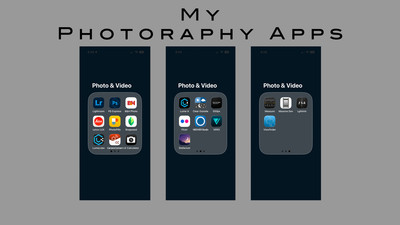
Hey Everyone! Hope Ya'll are having a great week. This week I wanted to explain what Apps I have on my phone and iPad that I use for photography. As you know the phone is a great tool for lots of stuff. Photography is at the top of the list for me. I hardly ever get phone calls and not many text but I use the phone for some type of photography almost every day. Along with my point and shoot camera it is with me everywhere I go. I use it to post to instagram, I use it for facebook and I edit on it when I'm out and about and I want to get something out quick. Some people are really good with their phones I'm okay but there is a lady in my photography club that is fantastic with hers not only for photo's but video and reels that she makes it seems like every day.  The phone has become a very important part of our lives. So I thought I would go over the apps on my phone that I use which will be different than the ones you use. Please feel free to share the ones you use and the ones you like the best. My apps fall into categories . Capture, Research, Editing, Camera Control and for me Film. 

Capture: Of course the most used app on my phone is the "Camera App" that came with my phone. It works very well in Video and photography and the interface is pretty good and you can manipulate the photographs with different adjustments like you would your camera. Other capture app I have on my phone is "Leica Lux" . It's a camera app that is suppose to mimic the look of Leica Cameras. Give them the Leica look. I've used it a few times and the look is good but I seem to use the Apple "Camera App" the most.

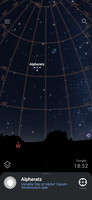
flickrflickr Research: I have a few of these but the biggest Elephant in the room is "Photo Pills" It is the Photoshop of researching stuff for photography. Like photoshop it is a little complicated to use. But it can tell you when the Sun or moon will rise when blue hour is the direction of the sunrise or sunset what point on the map that would be good to photograph said sunrise or sunset. It can tell you where the milky way is going to be and using AI it can give you a AI generated milky way in daylight so you can compose your shot before the sun goes down. It has a built in long exposure calculator and it can do lots of stuff. So for anything related to photographing the sky I use this app. Another good night sky app is "Stellarium" you can point your phone to the sky at night and it will tell you the name of the stars and constellations. I use it to find true north with Polaris for long exposures to give me that cool circular star trails. I also have a "Long Exposure Calculator" that I use. For me it's easier than the photo pills one. It can help me calculate long exposure time when using Neutral Density filters. I also use "Flickr"and "500px" to research photos taken at wherever I'm traveling to. This is a great way to figure out what kind of photo you can get at a unfamiliar location.

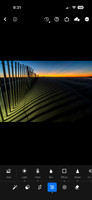
Editing: The first editing app is the "Photo's App" that comes with the phone. You can do simple editing and is getting better all of the time with AI inhansements that have been added to it recently. I also have "Snap Seed" that can be used for simple edits. My most used is the "Lightroom App" which I use to do edits and exporting of photo's. I also have this synced with my Lightroom Classic at home so I can share photos across all of my devices. I also use "Photo Shop Express" to do things like add text to photos.

Camera Control: I use Sony's "Imaging Edge" to control my camera remotely. Mainly I use it to sync my GPS coordinates with my camera so it puts them in the meta data of the photograph. I can also transfer photo's from my camera to my phone for quick editing for post to Instagram or Facebook. I have Canons "Camera Connect" so I can transfer photos from my Canon point and shoot to my phone. I have a "Lumecube" app that can control a lume cube that I have via Bluetooth. I can increase the intensity of the little light remotely. I also have a "Newer Studio" App that will do the same with some LED Pannels that I have.

Film: Shooting film has a unique set of challenges and I have a few apps to help with shooting. My first one is "Lghtmtr" which is a light meter that uses the phone's light meter to help get the proper exposure. This is just a backup for when my main meter malfunctions. I have an app called "Viewfinder" That helps me frame my shot . Especially when using different lenses. It automatically gets the perfect size so you can use it to find out what you want to shoot then you bring out your camera and set it up without luging around a big camera trying to figure out the shot. The last one is called "Massive Dev" which has all of the film developers , times, temperatures for all of the different developers and films which I use when developing my film.

There are many, many phone and tablet photography apps and I haven't even scratched the surface. Most of the apps above were free except for the "Lightroom" which came with my Lightroom subscription, and "Photo Pills" which has a one time purchase. Please share which ones that you use. So until Next week Get out and shoot! 

Hey if you want to check out my photography go to my instagram account Max Stansell Photography there are over 2000 posts there. Here is the link

 Max Stansell Photography Instagram Link


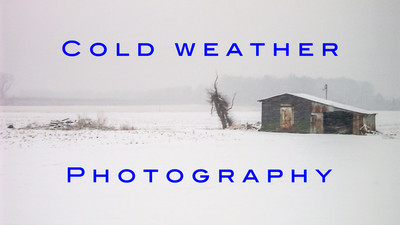
Cold weather Photography #393

January 30, 2026  •  Leave a Comment

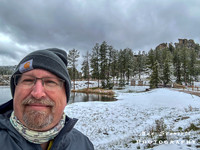
Hey Everyone! Hope everyone is doing well. Me? Cold! Waiting for a winter Ice Storm to roll though and thought I would write a blog about cold weather photography. Now if you're like me you don't like the cold weather. I think the older I get the colder I get. So the first thing I want to cover is how to keep warm when you are out shooting in the cold.

Protecting you! Protecting yourself and keeping comfortable will make for much better photographs . The more uncomfortable you are the less you concentrate on taking photographs and more on how to get warm or how to get out of the weather that you are in. First of all you want to dress in layers. Here is a link of a blog I wrote years ago on the subject. Winter Photography, Dressing The Part.  Dressing in layers makes it much easier to keep a comfortable temperature being able to add or subtract layers as conditions change. Proper head wear is also a great way to stay warm with hats and hoods to keep warm. One thing that I found that really keeps me warm is a scarf or neck gator that keeps the wind off of your neck. When working with a cold camera gloves are a must. There are photography specific gloves where your fingers can poke out to make adjustments and touch screen actions then you can move them back into the glove to keep warm. Another way to keep hands and figures warm is with hand warmers. You can get these at Walmart or any Sporting goods store. They are usually little pouches that you shake up and the chemicals inside get warm. These are great to have in your pockets. I have some electric ones that you charge up and you can control how warm they get. Insulated shoes or boots also help. If you're like me when my feet get cold I'm done. So I have some insulated boots that keep my feet toasty and warm. They also make shoe or feet warmers much like the hand warmers that you put into your shoes to keep your feet toasty.

Camera Equipment, When shooting in the cold protecting your camera and lenses are key. First let's talk about batteries. Batteries don't last as long in the cold and changing frequently is expected so keep spares handy and warm. A good tip is to keep batteries in a warm inner pocket of coat or inner layer to keep spare batteries warm. Sometimes you can take an exhausted battery and warm it up and it will work again. Changing temperatures  can be harmful for cameras. Moisture can accumulate when going from extremes especially going from cold outside to a warm inside. When coming into a warm area like after your shoot it is advisable to keep your camera in the bag for a hour or so before you get it out and start changing batteries and cards. Moisture from the warm house will be attracted to the cold metal parts of your camera much like a glass of ice tea on a hot summers day and condensation will accumulate on the glass. Letting the camera acclimate to the colder weather will also help to keep your lenses from fogging up .  Taking a warm camera into a cold environment will make lenses fog up. Now depending on how cold it is outside may affect the way your camera will operate. Sometimes it will affect the back display and it won't work. It's a good idea to look up your camera and see what the cold limits are. Different brands have different limits. The limits to my Sony is 14 degrees F to 104 degrees F. But I have seen reports where the camera worked beyond these limits. But check your camera.

Well that's enough jabbering for today. Until Next week Get out and Shoot!

Hey if you want to check out my photography go to my instagram account Max Stansell Photography there are over 2000 posts there. Here is the link

 Max Stansell Photography Instagram Link


Typical Photography Workshop with GAPC

January 23, 2026  •  2 Comments

Hi Everyone! This is a little short in-between blog that I'm writing just for the GAPC (Goldsboro Area Photography Club) . Now I have been a member for over a decade and absolutely have benefitted from being a member of the club. When I joined the club I thought I was a decent photographer but the club showed me how narrow my photography knowledge was. The club has opened my eyes to all sorts of photography. Mainly through the use of workshops. We hold a workshop every month. Thats 12 different workshops a year plus all of the other outings that we also do. The workshops can be anything from Astro/Night Photography to "One Light" Portraits and everything in-between . Our club has meetings every month on a Monday and usually the workshop follows on the next Saturday.  During our club meetings we will have some sort of presentation say "Wildlife Photography" was this months. The following Saturday we will have a workshop and go and do some Wildlife photography at some wildlife refuge or place where we know we will have a good chance to see wildlife. We have seen Swans, Geese, Bears, and all kinds of creatures over the years while on our wildlife workshops.  And the same is for other types of photography. If we are doing portraits we have a studio or some place where we can shoot and get a model or two and practice shooting portraits. Using the lights and all the things that go with portraits. The same with Astro, Street and so on. These workshops are planned at the beginning of the year with the officers of the club coming up with topics and activities for the year. A calendar is made and we try to have the presentation and the workshop work together . Say using strobes for portraits meeting presentation with a Portrait photo shoot for the workshop. Our club does a pretty good job at coordinating the two. Ideas for topics come from yearly critiques filled out by our members at the end of the year with suggestions for future workshops. Also with suggestions on places we might want to go and visit as a club like the Zoo or state or national park we might visit. After the calendar is set we (the officers) get people that are highly skilled in the area of focus to present a 30 min presentation at the meeting . Usually with a slide show of some sorts with examples on the topic. We then look for someone to lead the workshop. This is also someone that is skilled in the workshop topic. This person does the planning part for the workshop. Where and when we meet , maybe a quick demonstration (like studio lights) and generally helps out with the people that are new to the topic or just new to photography. Our club has many levels of expertise in photography from Professional to beginner. Someone is always there to help when you have a question or are just not sure where to start. With the number of members we have there is always someone who can help. The workshop leader usually has a place set aside for Lunch for that day. If we are traveling somewhere we carpool and people who are riding chip in for gas to the driver of the vehicle. I have personally grown very much as a photographer from being a member and going on the workshops of the Goldsboro Area Photography Club. But you must be a member to go on these great workshops. Like all things in life you must show up! The more workshops you go to even if you don't know anything about the topic. Learning different types of photography makes you a better photographer in the area that you are interested in. So when we have our next meeting come and check us out. We would love to have you join our club and the workshops. 

Subscribe
RSS
Archive
January February March April May June July August (4) September (4) October (5) November (4) December (3)
January (5) February (4) March April (2) May (1) June July August September October November (3) December (2)
January February March April May June July August (1) September (1) October (1) November (1) December (1)
January (1) February March April May June July August September October (3) November (2) December