Creating a Home Studio " First Modifiers" #364

July 25, 2025  •  Leave a Comment

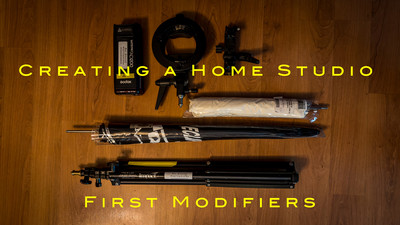
Hey Everyone! Hope you've had a great week. Here goes a topic I haven't talked about in a long time. Having a home studio whether it's Permanent (Spare bedroom) or Temporary is easy and inexpensive to get started in. But like everything you can spend a lot money if you want too but you don't have to and you can get excellent results with inexpensive gear. Having a home studio is great for table top photography and for family portraits. Having a system that will set up quickly and not having too much money invested can be rewarding. In this blog we are going to talk about the first off camera modifiers you should get that work great for all situations and are by far the least expensive you can get. The umbrella. There are basically three types of umbrellas you can purchase all can be had for say 30 bucks or less. Of course you can pay more but don't need to. The three types are Shoot Through, Reflective and Reflective with a sock. These umbrellas come in different flavors and colors. White being the most common and giving the softest light there are silver and gold ones as well that will give you specular highlights .

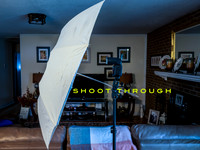
Shoot Through: This umbrella is probably the least expensive but to me a very versatile umbrella. Like the name implies this umbrella is between your light and the subject thus you shoot the light through the umbrella. I have used this umbrella a lot and it is great for creating soft portraits and one of its traits as with all umbrellas is that it throughs light all over. So it isn't really directional. But if you have a one light set up it is great because it will light your subject and your back ground very evenly.  This is probably my favorite umbrella and is colored white for softer tones.

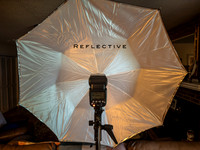
Reflective: Reflective umbrellas are more directional. They do not bounce around the light as much as the shoot through although all umbrellas do spread the light a lot . The light source is placed between your subject and the umbrella and pointed away from your subject and directed into the umbrella where the light reflects off of a Silver or Gold or White surface and goes onto the subject. Since these umbrellas have a sharp edge they can direct more light on the subject and not as much the background. These umbrellas are great for spreading light on a large crowd as the shoot through is and can produce even light. With silver and gold reflective surfaces attached they can produce more specular highlights than a white surface.

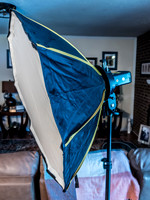
Reflective with a Sock: The third kind is the most expensive just because it has more parts. It's a reflective umbrella with a sock over the opening making it almost a soft box. Being like a soft box it is capable of producing very soft light and is as directional as the reflective. It is a great all around umbrella and gives you the best of both worlds of a shoot through and a reflective umbrella. 

In my opinion the umbrella should be your first light modifier of your at home studio. It is cheap , versatile and gives great results. As your skills improve then you can go to other types of modifiers like soft boxes, snoots, beauty dishes. Being able to control the light you can make great photo's and the simple umbrella is a great way to start. Well that's enough for this week until next time Get out and Shoot!


Hey if you want to check out my photography go to my instagram account Max Stansell Photography there are over 2000 posts there. Here is the link

 Max Stansell Photography Instagram Link


What would I buy? #365

July 18, 2025  •  Leave a Comment

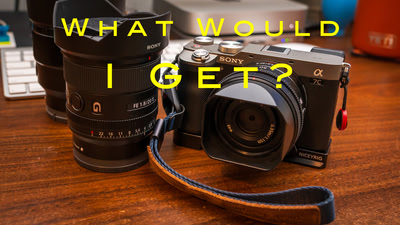
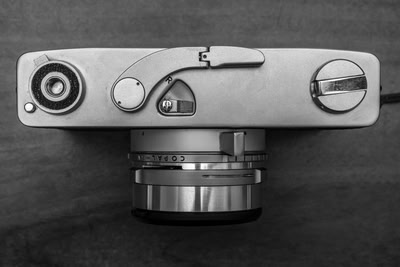
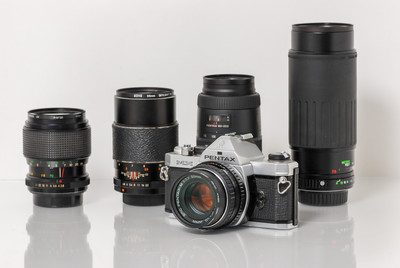
What's up Ya'll? This weeks blog is sort of a what if. If I could buy a camera from different camera companies what would I get? Would I get the most expensive one? Would I get the one that was centered on video instead of photo? "Or" Would I get one that is suited to my personality ? Well I wouldn't get the biggest and the baddest copy of what ever the flagship camera was . I do believe that I would not do that. In this blog I'm going to go through my thought process on what I think I would do. Now I'm an old timer brought up on film and most of my shooting are on photowalks  and travel type of stuff. So what I'm really going to be looking for is a classic styled camera that has the knobs and buttons that I grew up on film cameras. A retro style camera if you will one that is not too big or bulky that I can carry when I'm out and about. So let's go through some brands and see what I would get. Let's start with my current brand of camera's Sony.

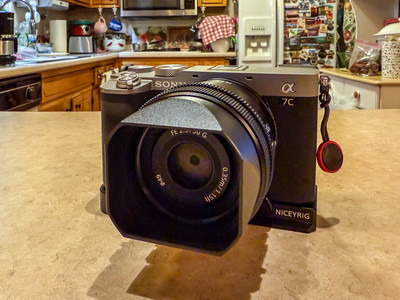
Sony: I have been shooting Sony for almost a decade and have shot their crop sensor sized cameras A6000 series and have shot with full frame the A7 series. Sony doesn't have a retro style camera but the closest I could come too is the A6000 series of camera's. They are small have good quality and a good set of small lenses to choose from. Although I now shoot with a full frame camera the A7III and the Smaller A7C I think if I had to choose again I would get the crop sensor version. The A7C that I shoot now is about the same size but the lenses are bigger even the compact lenses that they sell just for the A7(C for Compact) camera. Next company let's go with Nikon.

Nikon: I am a big fan of Nikon and they were really my first serious cameras when I started digital. I shot with the D7000 series of cameras and then switched to the D800 series of cameras . I had the holy trinity of lensed to go with the big Nikon full frame . This was a great system and in my camera club Nikon is king. Don't really know why but they are. I think that they can do a lot and seem very complicated to me now that I've been shooting Sony for so long. But all of my friends shoot Nikon so they must  be good . I wouldn't get their flagship though I would get the Nikon Zf camera. It is a retro style 24 mp full frame. I've heard nothing but good things about it although being a full frame you still have to deal with larger lenses.  Let's look a Canon.

Canon: I own a couple of Canon digital cameras . Small ones. One has been converted to IR a Canon EOS M and I have the point and shoot Canon Powershot G7XII which I just love. Canon doesn't have any retro type cameras although there are always rumors of them making one. One that was made to copy the Canon AE-1 in digital form would be awesome or even one that copied the Canonet 17 would be cool but no offerings. I love the touch screen and the easy menus of the camera and if they came out with a retro I would definitely be looking for one. Next let's look at Fujifilm.

Fujifilm: Fujifilm has been making all of their money on the retro style cameras. It's what has made them as big as they are. From the X-Pro Series of range finder cameras that have interchangeable lenses to the X-100 series of camera's that have a single lens and is based on a range finder camera. Even their flagships use a SLR shaped camera body with all the dials and knobs to choose your settings with which I like. Oddly enough only one person uses Fujifilm in our club. A Medium format Camera GFX100rf just came out and sort of mirrors the body style of the X-100 camera. But if I were to get one I would get a X-Pro series of camera. Although they don't have a current version of this camera there are rumors that they will. Hope so! What about Micro 4/3 rds cameras?

M4/3's: Olympus put out a retro style called the Pen-F many years ago which is cool but out of date. OM- Systems (formally Olympus) Just came out with a retro style camera the OM-3. It is a SLR styled camera and being M43 camera the lenses would be small and very portable. This camera has ticked all the boxes on my list of camera's and if money wasn't a factor this would be one of my first choices and may still end up in my bag. In the Lumix side of the house I don't think that they are very retro and are strongest in the video side of the house. Now lets talk about the elephant in the room Leica.

Leica: Leica has the prestige and the history of royalty. (In the camera world) But for some reason I have never lusted for one. I know they are well engineered camera's and have a reputation for lasting for ever. But they are not really high tech either and they don't care. I think that if I had one of these camera's I would be scared I would break or do something I shouldn't with it and would spend more time polishing it instead of using it. I know that sounds silly but there you are. 

This is just an exercise of looking around and seeing what I would buy if I had a choice. What would you buy? Well Until Next time Get out and Shoot!


Hey if you want to check out my photography go to my instagram account Max Stansell Photography there are over 2000 posts there. Here is the link

 Max Stansell Photography Instagram Link


What's the mileage of your camera "Shutter Count" #367

July 11, 2025  •  Leave a Comment

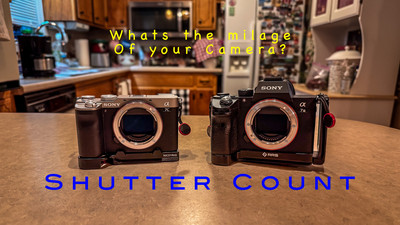
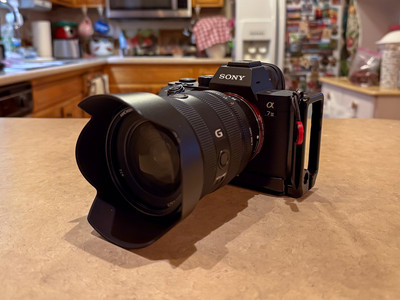
Hey Y'all ! How's it going? This week as you can see by the title is "what's the mileage of your camera?" Your camera has moving parts just like your car and at sometime it will wear out and break.  Just like your car. The shutter count of your camera is like your odometer of your car telling you the mileage of your camera. I was inspired to write this blog because of a video I saw from Mark Denny a North Carolina photographer that has a great YouTube channel. He went over the shutter count in this video The Hidden Number That Could Kill Your Camera .  I knew about this and check all the camera's I use and buy. As you know I buy used and shutter count can be very important. My two cameras are fairly old but their shutter counts are relatively small. Depending on the type of camera that you use the shutter can 200,000 or more clicks before it starts to wear out.  My two cameras Sony A7III has 22,414 and my Sony A7C even less at 6330 clicks.  So I still have lots of life in my two Digital cameras. So why is it important?

It's a way to show how much your camera has been used. When buying or selling your camera the shutter count like the milage on your car is a way to show how much the camera has been used. A camera like your car can be pristine on the outside but wore out on the inside so how many clicks does matter. Camera's with mechanical shutter (some don't) the shutter is what moves the most and can wear out .  This could mean a costly repair or your camera just becoming a paper weight. With the economy going crazy lately holding on or at least knowing how much your camera is expected to last can save lots of money. So what is the life expectancy of a modern camera?

Life Expectancy, Depending on your camera model and make the company will give shutter life expectancy on your camera. High end camera's shutter count can go as high as 500,000 shutter clicks. Most midrange cameras are in the 200,000 range. Now High end camera's now have electronic shutters and shutter count isn't as important as mechanical shutter camera's. I do think that in the future all camera's will have electronic shutters but now only the highest end ones do.  If you're shooting an older camera or a mid range camera shutter count still matters.  Although knowing how much the electronic shutter being used is still good to know when buying a used camera. So how do you find out the shutter count?

Finding your shutter count can be found on your camera or in the EXIF data on a raw photo. It can be as easy as finding a website on your camera that reads the exif data and finds the shutter count. Depending on your camera there may be a specific program to use like Sony you can go to Sony Alpha Shutter counter . All you have to do is Google the camera you have and shutter count and you will get the program that you need to count the data. Then you just drag and drop the latest photo of your camera and the program will git you the shutter count. Takes less than a minute to do but really great info and kinda tells you how you shoot. A wildlife photographer may have many more shutter clicks than a landscape photographer. So someone like me that doesn't have his shutter on high speed shutter will have less than someone who does. And by theory the camera will last longer.

Well that's a little info on your camera until next week Get out and Shoot!

Hey if you want to check out my photography go to my instagram account Max Stansell Photography there are over 2000 posts there. Here is the link

 Max Stansell Photography Instagram Link


How to backup while traveling. #366

July 04, 2025  •  Leave a Comment

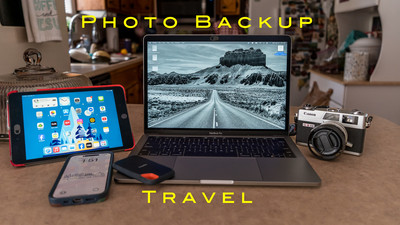
Hey Ya'll! Hope you're having a great week! Me? Not too bad thanks for asking. This week I'm getting ready for a week long trip and of course I want to back up my photo's when away. So this blog is going to be about backing up while traveling. When traveling you want to be as lightweight as you can. Not lugging around heavy camera equipment or heavy computer. Lots of people use their Laptop as their main computer not only for editing photo's but for everyday stuff paying bills, banking and all of their stuff on the same laptop that they edit on. Wouldn't that be terrible to break or to have stolen with all of that info and photo's on it? It would be a disaster and ruin your trip. Most of my editing are on a mac mini desktop computer but when I go mobile I don't bring that setup. Here I will go over different ways to back up your photo's when out on a trip that you do photography on or even a vacation that you take your camera with you and you want to save the memories from the trip. I like to have at two copies of my images when traveling and keeping them in different bags incase one gets stolen or lost that way I don't loose my images. 

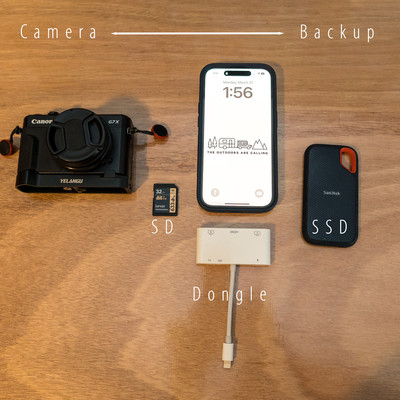
SD Card: The first line of defense is my SD card. I have a new SD card every day and the info on the older card is saved as one copy. So if I'm going on a 7 day trip I'll have 7 Cards. I know that sounds like a lot but I'm still using older cameras where the SD cards don't cost much and I buy a few every time they go on sale. I know the newer high capacity newer cards cost a lot more money and may not be feasible to do but that's what I do every day new card.

SSD External Disc-The next thing you will need is an external disc drive. Small disc drives are easy to cary and can hold lots of photo's and video. I would recommend a Solid State Drive (SSD) A SSD drive is better than the older disc drives because there is no moving parts that could fail like in the older drives. This is the drive that you would copy all of your photo's from each day.  I have a 1TB drive but you can get them in any size. The larger your file size or your sensor the larger the drive because the file size of the larger megapixel cameras take up more space.

Laptop: Now you could use a laptop but I wouldn't recommend if it is your main computer. I am really not a laptop guy but I bought a used laptop from a friend that upgraded to a newer model and I got it fairly cheap. It's a 13 inch laptop lightweight and I got it just so I'd have something to use when I have to run a Camera Club meeting. My old laptop was too weak to do this. I will be taking this on my next trip but just because I don't have much money into it and wouldn't be crushed if something happened to it what I would recommend is the next two options.

Dongle: A dongle is something that sticks into your laptop, Tablet or phone. It's used to transfer files , upload or just give you a connection to hook another device to your laptop, Tablet or phone. It will have different ports on it from USB-C, USB-A, HDMI, SD card, so whatever you have will plug into and connect to your device. They are inexpensive and really come in handy.

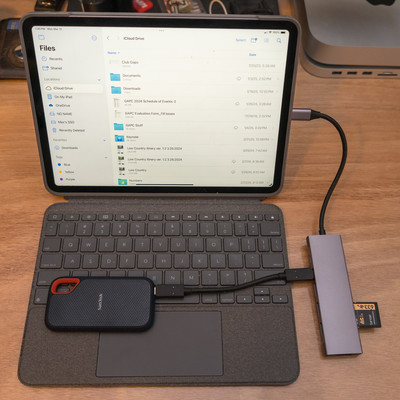
Smart Tablet: I have used a smart tablet to do a lot of trips to edit and to backup my photo's. The way it works is you hook a dongle to the tablet (must have the correct port for your device) Once it's hooked up you attach your SSD drive to dongle and SD card to Dongle . Then you can use the "file App" on your iPhone (Android has the same thing) and you can copy files off of your SD card and put them on a file on Your SSD Drive. I usually have a file named Day 1, Day 2, etc... It usually takes just a couple of min. and you will have backed up your SD Card onto the SSD Drive. Once it's there you can view the files on your SSD drive and pick the one you want to edit and download to your tablet and edit. I wouldn't recommend downloading to the tablet itself filling up your memory . Then you can easily post to social media from your device.

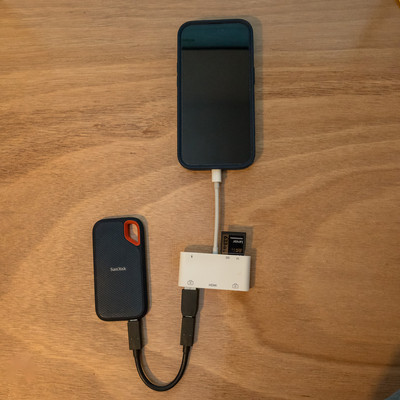
Phone: Using your phone is probably the most convenient way to do it. Just like the Smart tablet you just use your phone instead of the tablet with the dongle and everything else is the same. The great part about this way is the only thing that you've added to your travel gear is the SSD drive and a Dongle that will fit your phone. Easy Peasy!  No extra equipment or stuff to lug around an airport. Many photographers use this method when they travel. The only drawback is the size of the screen when you edit. But you could totally used to backup your images.

I have taken small trips where the phone was the only device I took with me but usually it's a tablet that I would take because I like the bigger screen but the process is the same.  Easy ways to backup your photo's when traveling so until next week Get out and Shoot!


Hey if you want to check out my photography go to my instagram account Max Stansell Photography there are over 2000 posts there. Here is the link

 Max Stansell Photography Instagram Link


Using your phone as a gap lens! #368

June 27, 2025  •  Leave a Comment

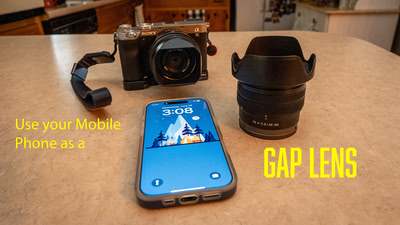
Hey Everyone! I hope everyone is doing well. Me ? I'm great I just got back from a big (for me) Photography trip to South Dakota. This week I want to talk about using your phone as a gap lens. Todays smart phones have great camera's in them and to use them as gap or extra lenses in your kit can be very convenient . When you take a trip the last thing you want to do is carry everything you own. Being lightweight and nimble is a great advantage when on a trip. On this last trip to South Dakota I really only brought 2 lenses for most of my photography. A 20-70mm and a 100-400mm monster. I did not bring a wide angle lens or a macro lens and am glad I din't. My bag with the 100-400 was heavy enough I'm glad that I didn't bring any more lenses. Lugging a super heavy bag through airports is really a pain not to mention going through security.

A smart phone (I'm using an iPhone) is a great addition to your camera kit. For one thing it uses computational photography to capture the photo's that you take. Every time you take a shot your camera takes about 15 and blends them together with some magic sauce and produces really great photo's. They are great for really hard lighting situations because of this.  They are also great for panoramas stitching in all of the photo's in camera. Most new cameras will shoot in raw also so editing in post is a breeze. So what does my phone take the pace of when I travel?

Macro lens. I don't carry a macro lens anymore because my iPhone does it well enough for me when I'm on the go. The extra weight of a 105 f/2.8  macro lens is not missed when traveling through airports or just lugging around on my back with my other lenses. You always have your phone in your pocket and they just work.

Wide angle lens. I don't tend to carry anything wider than a 20mm lens anymore. Although 20 is pretty wide sometimes that 16mm or even wider works great to be able to get stuff into your frame. Being able to whip out my phone and go super wide is a great advantage over lugging another lens around. And the photo's come out great!

Another way I use my smart phone is to try to take a photo with it every location that I go . It's super easy to edit on the phone I can send the photo to Lightroom or to some other editing software that I have on my phone and can easily export to social media either facebook or to instagram. The quality of the photo's for social media is super and the shots really look good on these platforms.

Being able to use my phone in conjunction with my camera kit creates a lethal combo where I can get the shot that I want without carrying around a big kit. I often use when I'm doing Landscape or street/travel photography also. And not to mention the selfie! Getting shots of yourself in different locations is fun and sharing with family and friends they can tell a story in themselves.  Until Next week use your phone and Get out and Shoot!  


Hey if you want to check out my photography go to my instagram account Max Stansell Photography there are over 2000 posts there. Here is the link

 Max Stansell Photography Instagram Link


Subscribe
RSS
Archive
January February March April May June July August (4) September (4) October (5) November (4) December (3)
January (5) February (4) March April (2) May (1) June July August September October November (3) December (2)
January February March April May June July August (1) September (1) October (1) November (1) December (1)
January (1) February March April May June July August September October (3) November (2) December